Pass Amazon and Shopify 3D review on the first upload
Commerce-Ready 3D is a Blender add-on. It checks a product model against the platform's 3D requirements, fixes what fails and exports a GLB with a report you can hand to your client.
Your phone couldn't start AR. On Android, AR needs the Google Play Services for AR app, installed and up to date, on a phone that supports ARCore. Update it in the Play Store and try again.
- The add-on's Shopify export of the problem file shown below
- 3.04 MB GLB
- 86,543 triangles
- 10.9 × 10.9 × 26.0 cm W × D × H
- 15 of 15 Shopify checks pass
The same bottle, before and after
This copy was exported the way problem files often arrive: built in centimeters, lying on its back and floating above the floor, with a camera, a light and a spin animation still in it. It fails 8 of Amazon's checks. With two settings and one click, all 22 pass.
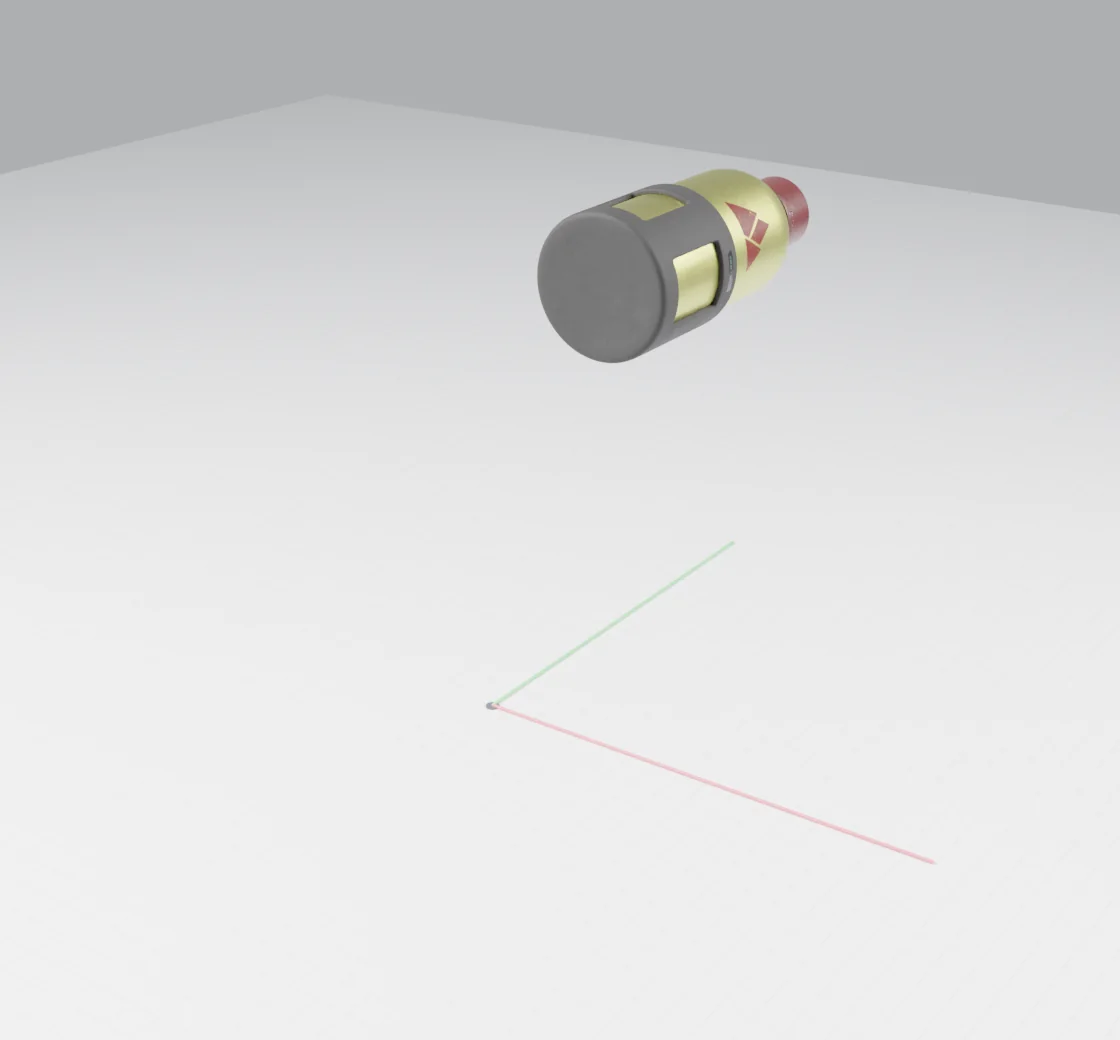
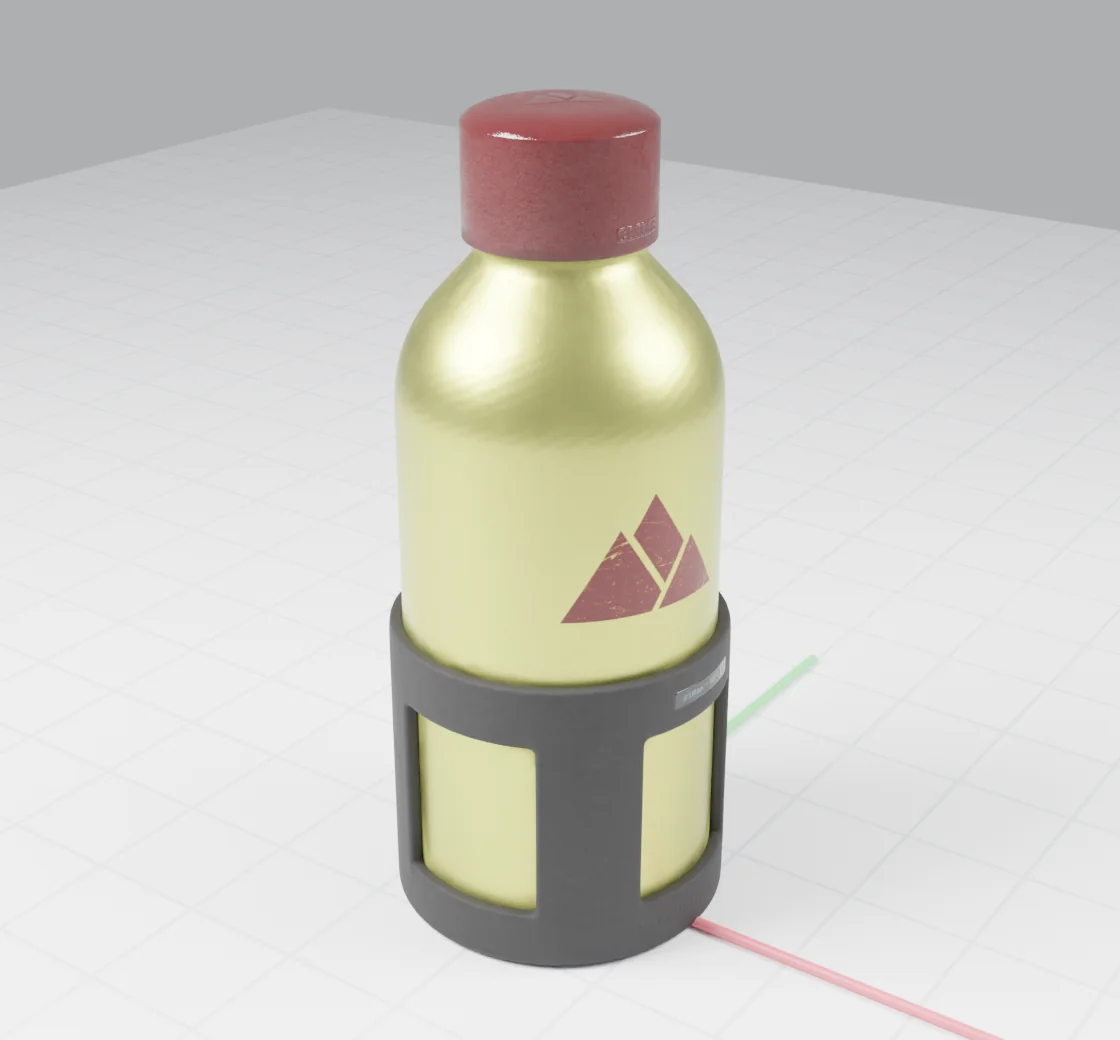
Settings used: Built in: Centimeters. Stand up: Rotate +90 X. Checked against the Amazon profile. The Khronos glTF Validator reports 0 errors and 0 warnings on the result.
Check your own file
This runs the add-on's checks in your browser, so the file never leaves your computer.
Requirements as of November 2026
Drop a .glb file here
No file at hand? : an avocado exported in millimeters, with a camera, a light and an animation.
What it fixes
Everything happens on a copy in a temporary scene. Your own scene and .blend file stay as they were.
- Leftovers from the scene
- Removes cameras, lights, rigs, empties and animation. The current pose stays.
- Real-world size
- Converts from centimeters, millimeters, inches or feet, or scales the product to a height you enter.
- Orientation
- Turns the front toward the shopper and stands up a model that lies on its side. You choose both in the panel.
- Position
- Puts the lowest point on the floor and centers the product on the origin.
- Triangle count
- Reduces geometry only as far as the platform limit or file size target requires.
- Textures
- Resizes them, makes them square and power-of-two, converts them to PNG or JPEG, and creates missing base color and metallic-roughness maps.
- Geometry
- Applies modifiers and transforms, fixes mirrored parts and makes closed meshes single-sided.
- File size
- Exports again with smaller textures, then fewer triangles, until the file meets Shopify's 4 MB target.
- Final check
- Opens the finished GLB, checks it again and writes an HTML and a JSON report.
A whole folder in one command
Batch mode runs from a terminal, without Blender's window. Each model gets a GLB and a report, the folder gets a summary page, and the exit code tells your script whether everything passed.
$ blender -c commerce_ready -p shopify -o ready/ models/
[commerce-ready] Processing Avocado.glb for Shopify
[commerce-ready] Avocado: PASS (0.7s)
[commerce-ready] Processing BoomBox.glb for Shopify
[commerce-ready] BoomBox: PASS (0.7s)
[commerce-ready] Processing ToyCar.glb for Shopify
[commerce-ready] ToyCar: WARN (2.3s)
[commerce-ready] Processing WaterBottle.glb for Shopify
[commerce-ready] WaterBottle: PASS (0.6s)
[commerce-ready] Processing dense_vase.obj for Shopify
[commerce-ready] dense_vase: PASS (7.8s)
commerce-ready: 5 file(s) -> 4 ready, 1 ready, with recommendations
commerce-ready: summary report: ready/summary.html| Model | Source | GLB | Result |
|---|---|---|---|
| Avocado.glb | 8.1 MB | 0.7 MB | Ready |
| BoomBox.glb | 10.6 MB | 1.5 MB | Ready |
| dense_vase.obj | 32.2 MB | 2.9 MB | Ready |
| ToyCar.glb | 5.4 MB | 3.2 MB | Ready, with recommendations |
| WaterBottle.glb | 9.0 MB | 1.2 MB | Ready |
Source size includes the model's textures. "With recommendations" means Shopify accepts the file and suggests more. For the toy car: one material per model, and occlusion packed into one texture.
A report for every file
Send it along with the delivery. This is the real report for the bottle above.
- Each requirement, the value found and the limit
- Every change the add-on made, in plain words
- Final size in centimeters and inches, to compare with the real product
- A short list of things to check by eye before upload
- A JSON copy for spreadsheets and pipelines
Questions
Which Blender versions are supported?
4.2 and newer. It is tested on 4.2, 4.5, 5.0 and 5.2. It uses the extension system introduced in 4.2, so it doesn't install in 4.1 or older.
Will it change my scene or my .blend file?
No. It works on a copy in a temporary scene and removes everything it created when it's done. Your objects, materials and images stay as they were.
My Seller Central page shows different Amazon limits.
Change them under Advanced limits, or with --max-triangles, --texture-max and --texture-min in batch mode. To set them once for everyone, use a COMMERCE_READY_PROFILES file (see Documentation).
Does it send my models anywhere?
No. It works fully offline. The only permission it asks Blender for is file access, to read your models and write the results.
Can I use it in an automated pipeline?
Yes. Batch mode runs without the interface, returns exit codes and writes a JSON report for each model plus a summary. The standalone checker needs only Python.
Will you add other platforms?
Version 1.0 covers Amazon and Shopify. Tell us which platform you need in the product's ratings or messages. That decides what comes next.
The documentation has the full manual, every panel option and the rest of the answers.
Coming soon to Superhive
Commerce-Ready 3D will be sold on Superhive, the Blender marketplace. Until then, the checker on this page is free to use.